Key takeaways
A good Pokemon generator can spit out a full team, a moveset, or a brand-new Fakemon design faster than you can shuffle a deck. As a collector and former competitive player, I’ve watched these tools go from novelty to genuine deckbuilding and roster-planning shortcuts. 🎯
- 🎯 Random generators build a battle-ready team in seconds, saving you the grind of manually picking movesets for practice runs.
- 🎯 Filters for type, region, and rarity mean you control the odds instead of leaving everything to chance.
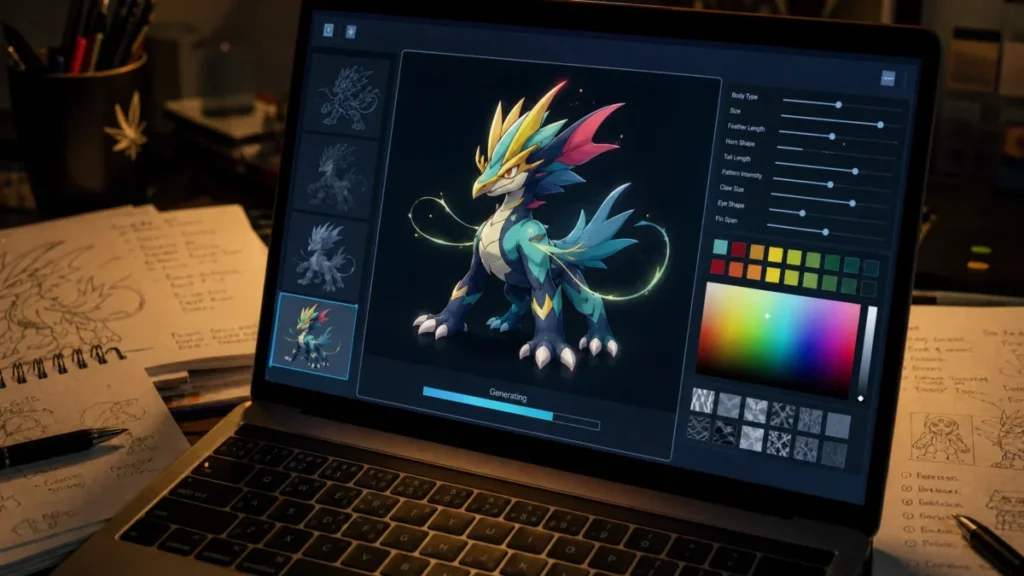
- 🎯 Custom creators let you design original Fakemon, giving artists and worldbuilders a real starting sketch instead of a blank page.
- 🎯 Fusion and AI art tools turn two existing Pokemon into one, a favorite trick for fan art and card mockups.
- 🎯 Moveset generators respect type logic, so the output stays usable for actual battle practice, not just random flavor text.
- 🎯 Randomizers sit in a legal gray zone, and the last section breaks down exactly where fair use ends.
How a Pokemon Generator Works and What It Can Do
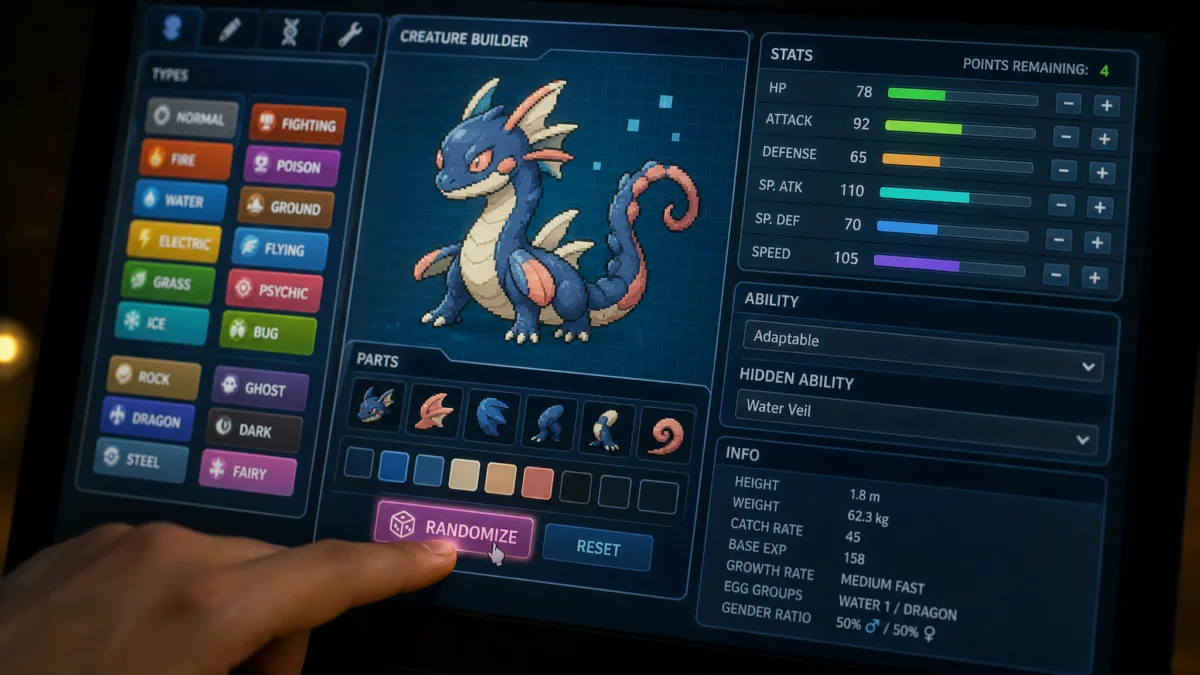
A Pokemon generator is basically a randomizer engine wearing a friendly interface. Feed it a rule set, and it spits out a Pokemon, a full team, or a moveset based on the filters you set. Under the hood, most tools pull from a database of stats, types, and abilities, then apply your constraints before returning a result.
Some generators go further and let you build a Pokemon that has never existed. That’s the fork in the road every player hits first: random output or custom creation. Both start from the same pool of data, but they solve completely different problems.
Random Pokemon Generator vs Custom Pokemon Creator
A random generator picks for you. You set a few parameters, hit generate, and the tool returns a Pokemon (or six) pulled from existing game data. According to Generate-Random.org, its generator spans all 9 generations and covers the full roster of 1,025 Pokemon, with results including names, types, abilities, stats, and sprites.
A custom creator flips the script entirely. Instead of pulling from existing data, you design something new: a Fakemon with your own typing, your own stat spread, your own silhouette. As a collector, I find custom creators scratch a different itch than randomizers. They’re for people who want to draw the next Charizard, not just reshuffle the existing 1,025.
- Random generator: fast, unpredictable, ideal for battle practice or Nuzlockes.
- Custom creator: slow, deliberate, ideal for fan art and worldbuilding.
- Fusion tools: a hybrid, blending two real Pokemon into one new sprite.
Filters You Can Expect: Type, Region, Rarity, and Stats
Filters are what separate a genuinely useful generator from a glorified coin flip. At minimum, expect a type filter (Fire, Dark, Fighting, and so on) and a generation or region filter. RandomPokemon.co says its tool supports team sizes from 1 to 6 Pokemon, with additional filters for region, rarity, evolution stage, gender, and nature.
More advanced tools push further. Pokemon Roulette lets you include or exclude Legendaries and export the finished team straight to Pokemon Showdown format, which is genuinely handy if you’re testing a squad before a real match. Nature filters matter too. If you’re building a speed-focused sweeper, pairing the right generator output with a Jolly nature can make or break the build in competitive play. 💡
Read also: Pokemon HeartGold and SoulSilver: Why Fans Still Love It
🛠️ How Do I Generate My Own Pokemon: Step-by-Step
Let’s get practical. Whether you want a battle-ready squad in ten seconds or a hand-crafted Fakemon that took you an hour, the process breaks down into a few clear steps. Parlons cartes… and creatures, because the logic behind generating either one is surprisingly similar: set your constraints first, then let the tool (or your imagination) do the heavy lifting.
Building a Random Team for Battle Practice
Speed matters here. You’re not trying to craft lore, you’re trying to stress-test a strategy or set up a Nuzlocke run.
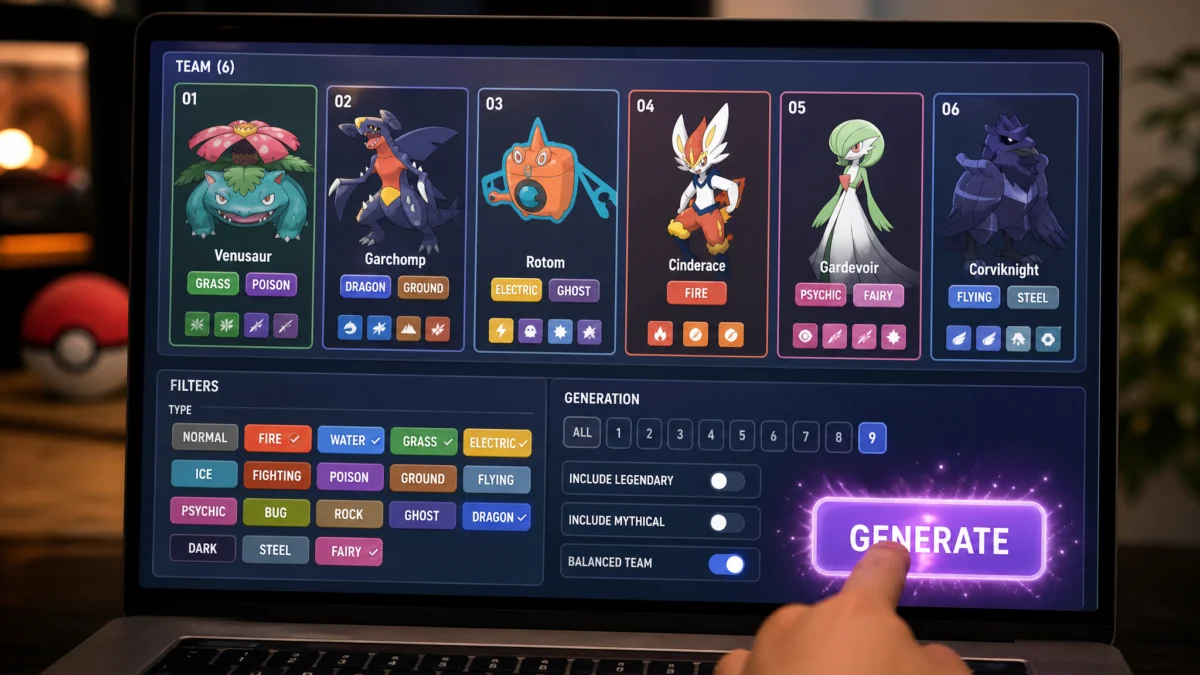
- Pick your generation range: full National Dex or a single region.
- Set team size: most tools cap out around six, matching a real battle roster.
- Toggle Legendaries on or off depending on the format you’re practicing for.
- Apply type or nature filters if you’re testing a specific archetype.
- Export or screenshot the result before you close the tab.
According to Generate-Random.org, its generator spans all 9 generations and 1,025 Pokemon total, with filters for generation, type, and shiny variants, and it can spit out up to 100 Pokemon in a single batch. That’s overkill for a six-Pokemon team, but genuinely useful if you’re stocking a draft league pool or building a randomizer challenge for a group of friends. In competitive practice, I generate three or four random rosters back to back, then pick whichever one forces me out of my comfort zone. That’s honestly where the real training value sits: fighting a team you didn’t build yourself.
Designing a Fully Custom Fakemon from Scratch
This is where the process slows down, and that’s the point. Sans langue de bois: a good Fakemon takes longer than a random roster, but the payoff is something nobody else owns.
- Sketch your concept first: a single defining trait (a type combo, a silhouette, a gimmick ability).
- Assign a stat spread that matches the role you imagine (tank, sweeper, support).
- Lock in typing, checking it against existing combos so it doesn’t feel like a reskin.
- Generate or draw a sprite that reflects the concept, not just a random mashup.
- Write a short Pokedex-style entry to anchor its personality.
Décortiquons ensemble why stats matter so much at this stage: a Fakemon with a Jolly-friendly build needs Speed prioritized early, the same logic that shapes real Jolly nature sweepers in competitive play. Skip that step and your creation looks pretty but plays awkwardly.
Comparing Popular Pokemon Generator Tools and Features
Every generator markets itself as “the ultimate tool,” but the tools genuinely differ in what they build. Some spit out battle-ready rosters, some hand you moveset ideas, and a few lean fully into art and identity. Knowing which lane a tool sits in saves you from downloading three apps to do the job of one.
Random Rosters, Legendary Pools, and Moveset Generators
Team-building tools dominate this category, and most share the same DNA: pick a filter, hit generate, adjust from there. Pokémon Roulette covers 1,025 Pokemon across all 9 generations, lets you filter by generation, type, and whether Legendaries are allowed, then exports the finished team straight to Pokémon Showdown format. That export feature alone saves real setup time if you’re testing a squad before a ladder session.
Other tools split the job into pieces instead of handling it all at once. PokeSuite’s toolbox, for instance, separates its generators by function: one for random movesets, one for starters, one dedicated purely to Legendary and Mythical pulls, and another for items. That modularity suits players who already know their core six and just need moveset inspiration for one problem slot, rather than a whole new roster.
| Tool type | Best use case | Key filter or feature |
|---|---|---|
| Full roster generator | Draft leagues, randomizer runs | Generation, type, Legendary toggle |
| Moveset generator | Fixing one weak team slot | Move pool by Pokemon |
| Legendary/Mythical pool | Themed challenge runs | Rarity-locked pulls |
| Battle-format exporter | Prepping for Showdown or league play | Direct format export |
Fusion, AI Art, and Trainer Card Makers
This is where the hobby gets creative rather than competitive. Fusion generators, like the one from Japeal, blend two Pokemon sprites into a single hybrid design. Japeal is explicit that this is a fan-made parody project, not affiliated with Niantic or The Pokemon Company, which matters if you’re wondering why the output looks unofficial and rougher around the edges. That’s part of the charm, honestly: nobody expects fusion art to look game-accurate.
Custom card makers push the collector angle further. PokeCardGenerator now supports templates modeled on Pokémon TCG Pocket and Generation 1 designs, letting you mock up a card that mimics the look of a real print run. It’s a fun way to prototype a Fakemon’s final presentation, though it’s worth remembering these are fan creations meant for display, not tournament-legal cards. If you’re building a Fakemon that deserves a matching physical feel, checking real Pokemon card dimensions helps your mockup look properly proportioned rather than stretched or off-scale.
Is a Pokemon Randomizer Illegal? Rules and Fair Use
Legality questions come up a lot in this hobby, so let’s settle it. In terms of pure copyright law, a Pokemon randomizer or generator built by a fan sits in a legal grey zone rather than a clean “yes” or “no.” Nintendo, Game Freak, and The Pokemon Company own the characters, sprites, and names outright. Fan-made tools that generate new art, stats, or mockups without using official assets generally avoid direct infringement, but tools that repackage actual game sprites or hacked ROMs are a different story entirely.
Most reputable generator sites protect themselves by staying transparent about what they are. Japeal’s fusion tool, for example, states clearly it’s a fan-based parody project with no affiliation to Niantic or The Pokemon Company, which is exactly the kind of disclosure that keeps a project on the right side of fair use principles.
The bigger legal risk isn’t the generator itself. It’s what you do with the output:
- Using a custom Fakemon for personal fun, fan art, or a Discord server is low-risk.
- Selling printed cards or merchandise featuring your Fakemon design crosses into commercial territory.
- Using a randomizer ROM hack of an actual Pokemon game requires you to own the original cartridge or file.
- Claiming a generated design as fully original IP when it heavily mimics an existing Pokemon invites takedown requests.
ROM-based randomizers, the kind that shuffle wild encounters in an actual Game Boy or Switch title, carry their own separate legal question tied to emulation and ROM ownership, which is a stricter issue than a browser-based stat generator. In practice, casual, non-commercial use of a fan generator has never drawn serious legal action, but anyone printing physical cards for sale should double check real Pokemon card dimensions and proportions and keep the project clearly labeled as fan-made. If you’re not profiting from it and you’re upfront about it being unofficial, you’re almost certainly fine.
Frequently Asked Questions
Can you still generate Pokémon?
Yes. Random generators still pull from a database spanning all 9 generations, covering the full roster of 1,025 Pokemon, returning names, types, abilities, stats, and sprites. Custom creators also remain active, letting you design original Fakemon with your own typing and stat spread instead of pulling from existing data.
What is that Pokémon generator?
A Pokemon generator is a randomizer engine with a friendly interface. You feed it a rule set, and it returns a Pokemon, a full team, or a moveset based on your filters. Some tools also work as custom creators, letting you sketch a Fakemon that has never existed.
How do I generate my own Pokémon?
For a random team, pick a generation range, set team size, toggle Legendaries, apply type or nature filters, then export or screenshot the result. For a custom Fakemon, sketch a defining trait, assign a stat spread, lock in typing, generate a sprite, and write a short Pokedex entry.