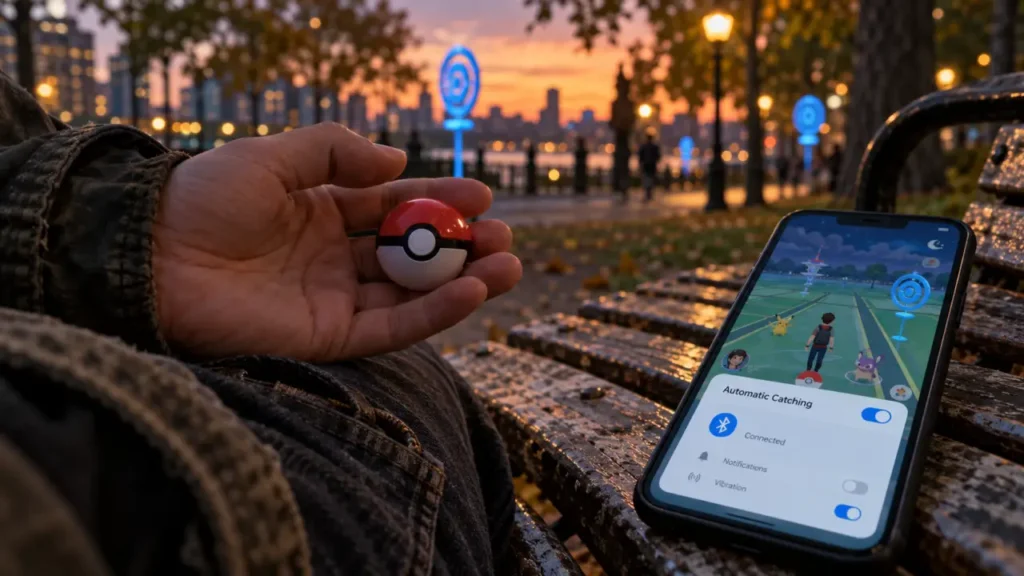
Pokémon GO Plus + is a rechargeable Bluetooth accessory that handles routine Pokémon GO actions and tracks sleep for Pokémon Sleep. Its main appeal is less time checking your phone, not replacing it: you still need a compatible smartphone and the relevant apps. Before buying, the important distinction is that automatic catching uses regular Poké Balls; Great Balls and Ultra Balls require a button press.
What you gain—and what still needs your phone
Pokémon GO Plus + connects to Pokémon GO and Pokémon Sleep, with different functions in each app. During a walk, it can spin PokéStops and attempt catches without constant screen interaction. At night, it can record sleep-related movement data for later synchronization. It is an accessory, not a standalone game system, and it does not work with Nintendo Switch consoles.
Pokémon GO Plus +: Official Troubleshooting FAQs · Find official answers about battery removal, silent mode, connectivity, charging, and other Pokémon GO Plus + technical issues.
The names are easy to confuse. Pokémon GO Plus + is the newer, round rechargeable model, not the original Pokémon GO Plus or the Poké Ball-shaped Poké Ball Plus. If you are buying from a marketplace or choosing a used unit, check the full product name and photographs rather than relying on “GO accessory” in the listing.
| Your priority | What Pokémon GO Plus + offers | Main limitation |
|---|---|---|
| Less screen checking outdoors | Automatic PokéStop spinning and regular Poké Ball throws | Requires an active connection to Pokémon GO |
| Using stronger balls | Great Ball and Ultra Ball support | Throws require a button press |
| Pokémon Sleep tracking | Sleep recording without leaving the phone on the bed | Data must be synchronized with the app |
| Playing without a smartphone | No standalone gameplay | A compatible phone remains necessary |
It makes most sense for regular walkers, frequent Pokémon GO players, and people who also use Pokémon Sleep. Occasional players who enjoy selecting every encounter manually may find the convenience less compelling.
Automatic catching is useful, but it is not guaranteed catching
With the appropriate settings enabled, Pokémon GO Plus + can automatically spin nearby PokéStops and throw regular Poké Balls at detected Pokémon. Your phone still supplies the game connection and location information. The accessory does not create encounters independently, bypass normal interaction limits, or compensate for an empty item bag or full Pokémon storage.
Choose between hands-free play and stronger balls
Regular Poké Balls support automatic throws. Great Balls and Ultra Balls can also be selected, but you press the accessory’s button to throw them. This distinction matters if you expect to leave the device untouched in a pocket: selecting a stronger ball does not turn it into a fully automatic Ultra Ball catcher.
A throw is only an attempt, not a promise of a catch. For a Pokémon you particularly want, manual play gives you control over berries and throw technique. Treat the accessory as a way to collect incidental encounters and supplies rather than as a substitute for deliberate catching.
Let notifications set a better walking rhythm
The device’s pulses can become a useful attention filter: instead of checking your phone after every vibration, decide before your walk which situations deserve a stop. Let routine encounters happen in the background, then review your catches somewhere safe. This separates the rhythm of walking from the rhythm of game notifications, reducing the temptation to reach for your screen at every crossing.
Keep an eye on supplies and storage before heading out. Automatic actions are only useful while the game has the necessary resources, and a disconnected accessory will not keep catching on its own.
Sleep tracking adds a second reason to use it
For Pokémon Sleep, you start and stop a sleep session using the central button, then synchronize the recorded data with the app. Place the accessory according to the manufacturer’s instructions, on the mattress near your pillow rather than on a bedside table. Movement-related data helps the app interpret your rest; the device does not record sound.
This can be convenient if you prefer not to use your smartphone directly for overnight tracking. However, it is a game accessory, not a medical sleep monitor, and its readings should not be used to diagnose sleep problems.
Pokémon Sleep integration includes a Pikachu wearing a nightcap, along with Pikachu voice features. The official product information also advertises a bonus of up to 500 diamonds; check the in-app requirements before assuming the full reward is immediate.
In Pokémon GO, connecting the accessory provides access to Special Research associated with a Snorlax wearing a nightcap. Rewards depend on the relevant pairing, synchronization, and task requirements. Buy primarily for the everyday functions rather than treating a bonus encounter as the device’s entire value.
Check compatibility, then pair through the app
Both Android and iPhone are supported, but the published minimum requirements differ. Pokémon Support’s technical FAQ lists iOS 13 or later and Android 8.0 or later. The official product page lists iOS 14 and up, Android 7 and up, and iPhone 7 or newer. These figures should not be treated as interchangeable guarantees.
Before purchasing, verify your exact phone against the current requirements for both the accessory and the app you intend to use. Being able to install an app does not necessarily establish full accessory compatibility.
- Charge the accessory. Use the included USB Type-C cable and a suitable USB power adapter, sold separately.
- Prepare your phone. Enable Bluetooth and grant the app the permissions it requests for accessory use.
- Open Pokémon GO’s accessory settings. Select Pokémon GO Plus + and follow the prompts, pressing the device button when requested.
- Configure its actions. Review automatic spinning, catching, and ball selection rather than assuming every feature is enabled.
- Connect separately in Pokémon Sleep. Follow that app’s pairing instructions and complete a test synchronization.
Only one Pokémon GO Plus + can be paired with a smart device at a time. If you replace your phone or accidentally pair with someone else’s, follow the official unpairing and reconnection procedure. Avoid repeatedly trying to connect from several nearby phones.
For connection trouble, first check charge, Bluetooth, permissions, and the app’s connection status. Then restart the app and phone, check for updates, and retry pairing. Use Pokémon Support’s model-specific instructions before attempting a reset.
Price, battery, and everyday annoyances to weigh before buying
GameStop listed Pokémon GO Plus + at $59.99. Treat that as a reference price, not a live offer: stock, delivery costs, regional pricing, and new-versus-used condition can change. Compare the final checkout total and return terms, especially when purchasing a pre-owned device.
The official dimensions are approximately 64.5 mm in diameter and 18.3 mm thick, excluding protrusions, with a weight of approximately 50 g. Check that a listing includes the charging cable and any advertised attachment accessories, particularly for used stock.
Pokémon Support estimates about one week of battery life with two to three hours of Pokémon GO use per day. That is a usage-based estimate, not a guaranteed interval for every combination of daytime play and overnight tracking. A full charge takes approximately 3 hours and 30 minutes. The battery is not removable, and no dedicated battery-saver mode is specified in the support FAQ.
Sound, vibration, and lights deserve attention if you plan to use it in an office or bedroom. Silent mode uses a button combination and also suspends alarms and notifications; it is not simply a volume adjustment. Vibration behavior differs between Pokémon GO and Pokémon Sleep, so do not assume one setting silences everything.
The buying decision comes down to routine: if you regularly walk past PokéStops or already play Pokémon Sleep, the accessory can remove repetitive screen interactions. If you want independent gameplay, automatic Ultra Ball throws, or Nintendo Switch connectivity, it is the wrong product.