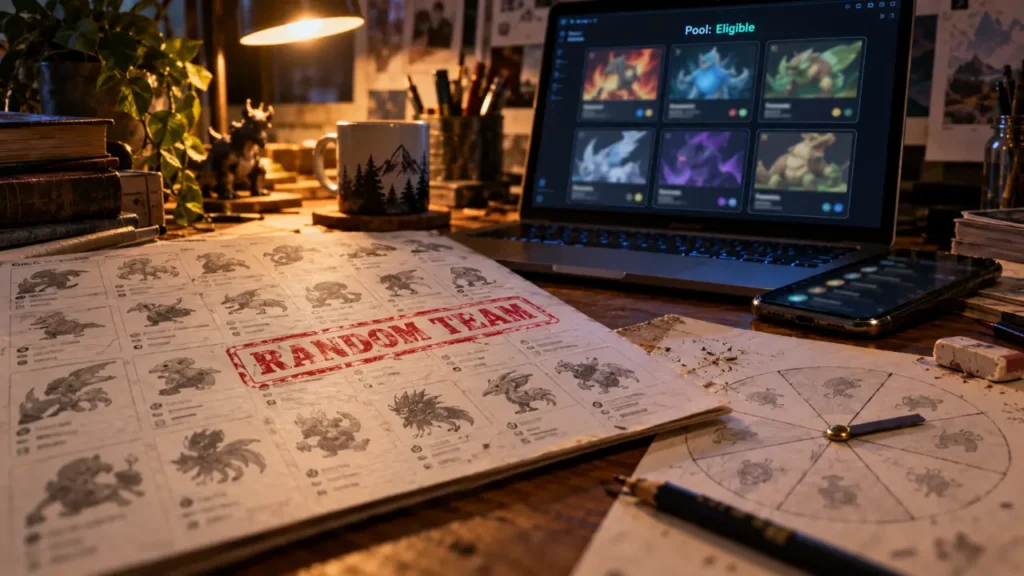
To pick a random Pokémon, choose an output quantity, set any game or type restrictions, and generate your selection in a Pokémon picker. Use one result for a surprise choice, three for starter candidates, or six for a team. A random Pokémon maker selects from an eligible pool; it does not create a new species or automatically send Pokémon to your game.
The important decision is what enters that pool. A few well-chosen filters can turn an unrestricted roll into a usable challenge team without removing the surprise.
Choose a picker, a generator, or a wheel
Random Pokémon maker, generator, and picker usually describe the same core function: selecting existing Pokémon at random. Their interfaces differ. A batch picker suits team creation, while a wheel emphasizes the reveal of a single choice. Neither should be confused with a custom Pokémon design tool or a trade-delivery service.
Explore the Official Pokémon Pokédex · Search and discover Pokémon by name, National Pokédex number, type, weakness, Ability, and more.
| Your goal | Suitable format | Controls to prioritize |
|---|---|---|
| Choose one Pokémon | Single-result picker or wheel | Eligible pool and exclusions |
| Create starter candidates | Three-result batch | Evolution stage and duplicates |
| Build a random team | Six-result batch picker | Game availability and individual rerolls |
| Prepare a draft pool | Larger batch generator | Species uniqueness and result sharing |
| Run an elimination game | Wheel with removal options | Whether selected entries leave the pool |
Supported quantities vary. Some generators offer 1, 3, 6, 12, or 24 Pokémon, and Random Pokémon Picker defaults to six. Check the output limit before planning a larger draft. Wheel removal, custom entries, and team modes also depend on the particular tool rather than the name “wheel.”
Set up your first roll without overfiltering
- Choose your game or Pokédex pool. This matters when you intend to use the result in an actual playthrough.
- Select the quantity. Start with one, three, or six according to your goal.
- Apply essential restrictions. Choose types, evolution stages, or special-class exclusions only when your rules require them.
- Check duplicate handling. Decide whether repeated species or alternate forms are allowed.
- Generate and inspect. Review each result before accepting the batch or rerolling a slot.
A generation filter and a game filter answer different questions. Generation identifies when a species was introduced; a game pool concerns availability in a particular title. A Pokémon introduced earlier may appear in a later game, so selecting only that later generation could exclude valid choices.
Database size is another useful check. PokéTools describes a pool of 1,025 species and 22 game or Pokédex pools. Those figures describe that tool’s coverage, not a universal guarantee for every randomizer. Before committing to a run, inspect whether the generator includes the species and forms your rules need.
If a roll returns nothing, relax one restriction at a time. Remove a narrow base-stat threshold, broaden the generation selection, or allow more evolution stages. A live matching-candidate counter, where available, helps identify which filter emptied the pool.
Make the filters match your challenge rules
Types, evolution stages, and special classifications
Type filtering can work differently across interfaces. Selecting Water and Ground may require both types, producing dual-type candidates such as Swampert or Quagsire, rather than any Pokémon with either type. Check whether the control means both selected types or either selected type. The distinction changes the candidate pool considerably.
Evolution filters can restrict results to unevolved, intermediate, or fully evolved Pokémon. For starter-style choices, also decide whether single-stage species are acceptable. Legendary, Mythical, Ultra Beast, and Paradox filters may appear separately: excluding Legendary Pokémon does not necessarily exclude every other special classification.
Species and forms are not interchangeable
Regional variants, Mega Evolutions, Gigantamax forms, and other battle forms need explicit handling. Charizard and Mega Charizard X are not separate species, but a generator may represent them as separate selectable entries. A “Default Forms Only” setting can remove alternate forms, although its exact scope should be checked.
This also affects duplicates. “No duplicates” might mean no identical entries rather than no repeated species. For a species-clause challenge, verify that alternate forms cannot occupy multiple slots. A displayed battle form also does not establish that it can function as an ordinary starter in your chosen game.
Stats and individual attributes serve different purposes
A base stat total filter narrows the strength profile of eligible species. Result cards may show all six base stats: HP, Attack, Defense, Special Attack, Special Defense, and Speed. Similar totals do not guarantee equally effective teams, because typing, abilities, and stat distribution still matter.
Some tools also assign a random nature, ability, or gender. Pokémon has 25 natures; assigning one is different from choosing a species. Check whether ability rolls respect the species’ possible abilities, including Hidden Abilities, and whether gender settings respect genderless species and species-specific restrictions.
Turn random results into a playable team or fair draft
For a six-Pokémon challenge team, establish your acceptance rules before generating. Decide whether you will accept every legal result, permit one replacement, or reroll only unavailable species. Individual rerolls are useful when supported, but repeatedly replacing weak picks turns a random challenge into selective team building.
Think of fairness as a scale rather than a single strength score. Weigh three things separately: access to the Pokémon in your game, its battle potential, and the practical effort needed to evolve or use it. Two teams can have similar base stat totals yet demand very different journeys. Agreeing on these three axes before a shared challenge prevents a lucky roll from quietly becoming an easier ruleset.
- Random starter: generate three eligible candidates and choose one under an agreed evolution rule.
- Nuzlocke planning: use a picker to propose starters or supplemental restrictions, without replacing encounter rules unless your variant explicitly allows it.
- Draft league: generate 12 or 24 candidates where supported, exclude duplicate species, and save the pool before drafting.
- Randomized battles: agree on forms, special classifications, and strength restrictions before either player sees a result.
A picker alone does not randomize wild encounters, trainers, or game files. It supplies selections that you can apply manually within your chosen format.
Inspect the cards and save the right kind of share
A useful result card identifies the Pokémon by name, Pokédex number, artwork, and types. More detailed generators may add abilities, base stats, Pokédex entries, cries, EV yield, catch rate, egg groups, gender ratio, height, and weight. These details help you evaluate the selection rather than judging it by appearance alone.
Distinguish viewing shiny artwork from rolling shiny status. An artwork toggle may simply change the illustration. One generator specifies a 1 in 512 shiny chance for each rolled Pokémon; that is its own tool mechanic, not a promise about encounters in your game.
Finally, check what the sharing option preserves. A filter-sharing link usually saves the configuration but may produce fresh results. A seeded result is intended to reproduce a particular roll, provided the relevant settings and implementation remain compatible. For a shared challenge, save the result list alongside the seed and rules so everyone can verify the same starting pool.
For a straightforward first attempt, choose six results, restrict the pool to your game, exclude any disallowed classes, and prevent duplicate species. Generate once, inspect the cards, and save the accepted team before making changes.